Measure your site from Claude Code
Connect UXMachine once from the terminal. Then ask Claude Code to measure your site, and it will give you the link to the report with everything we measured.
Before you start
- Claude Code installed and signed in.
- A UXMachine account. If you don't have one, create it here.
- Your site published at a public address.
- Each measurement uses 1 credit from your UXMachine account. Measurements that cannot be made use none.
Step by step
Add UXMachine from the terminal
Open a terminal (on Windows, Command Prompt or PowerShell), paste this line and press Enter.
claude mcp add --transport http --scope user uxmachine https://uxmachine.app/mcp“--scope user” makes UXMachine available in all your folders, not only the one you are in.
Open Claude Code
In your project’s folder, type this and press Enter. If it asks whether you trust the folder, choose “Yes, I trust this folder”.
claude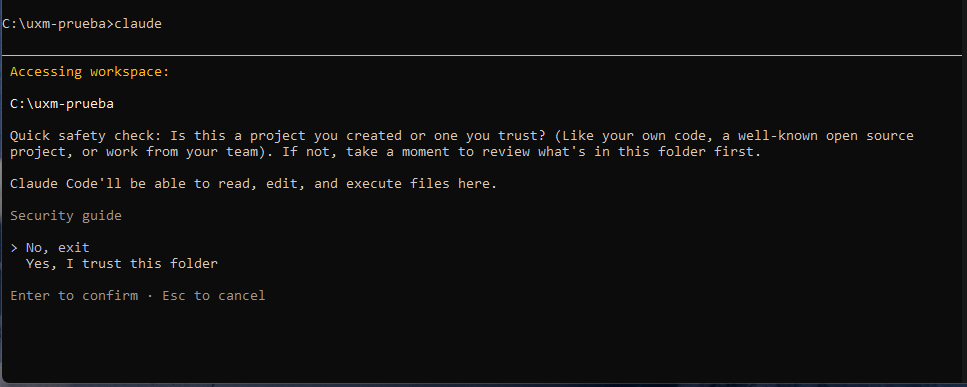
Connect your account
In Claude Code, type this, choose “uxmachine” and then “Authenticate”. Your browser will open.
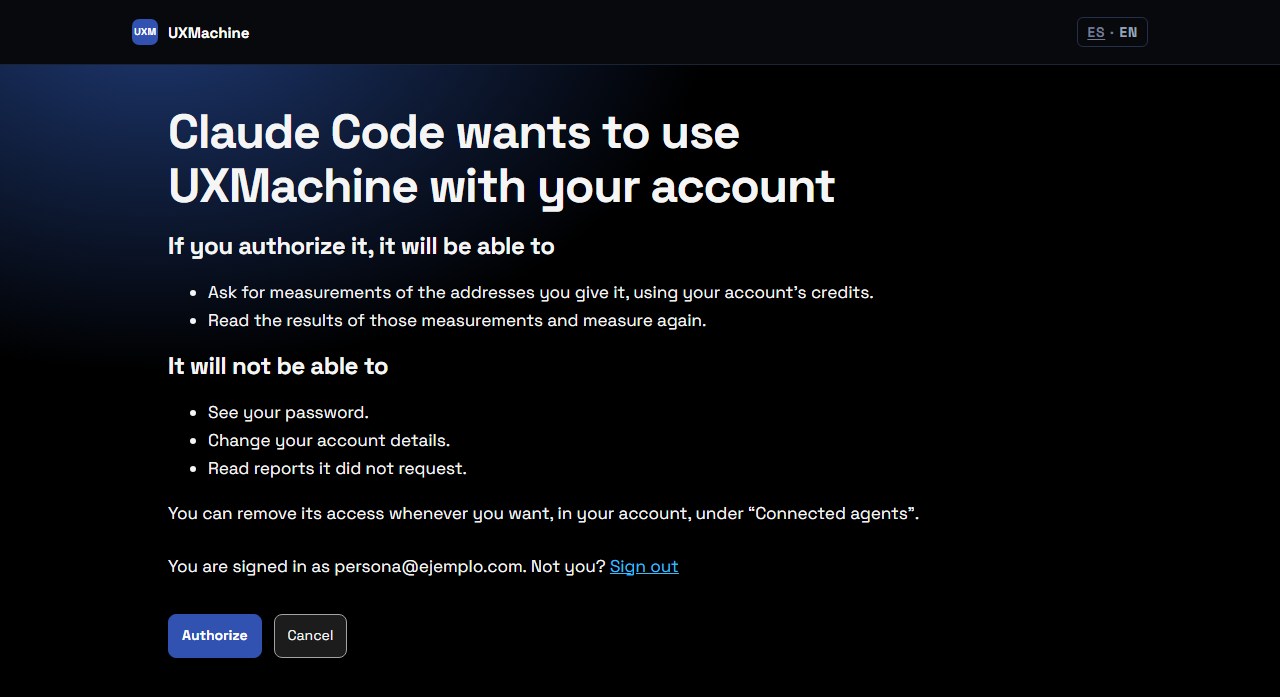
/mcpAuthorize in UXMachine
In the browser, UXMachine explains what Claude Code will and will not be able to do. If it asks you to sign in, sign in with your UXMachine account. Then click “Authorize” and go back to the terminal.
Check it is connected
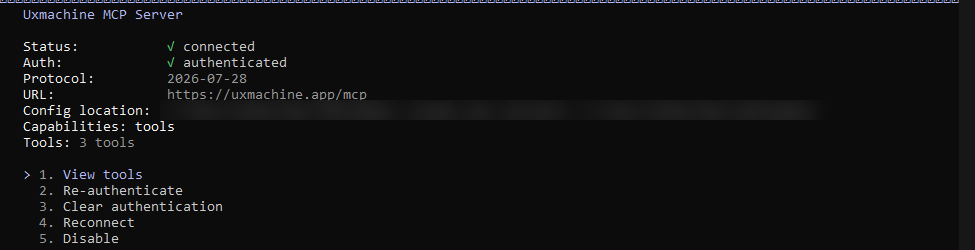
Type “/mcp” again and choose “uxmachine”. It should say “connected” and “authenticated”.
Ask it to measure
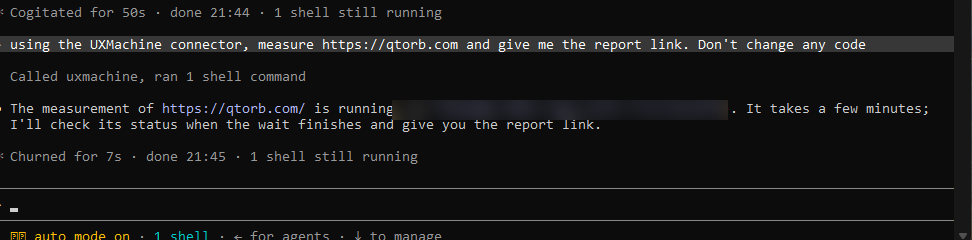
Press Esc to go back to typing. Copy this sentence and replace the address with your site’s.
Using the UXMachine connector, measure https://your-site.com and give me the report link. Don't change any code.The last sentence asks it not to touch your code. The measurement takes a few minutes: Claude Code will wait and give you the link to the report.
How you know it worked
Claude Code gives you the link to the report and tells you what was observed, where, and what could not be checked. For example:
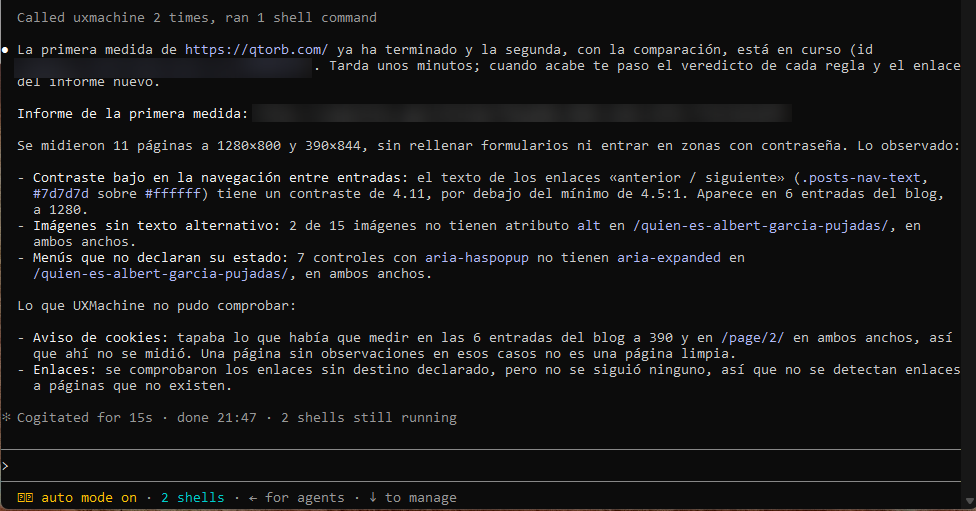
What Claude Code writes is its own summary. If it does not match the report, the report is what counts.
To measure again and compare with the previous measurement, type:
Using the UXMachine connector, measure again and compare with the previous measurement.If something goes wrong
It says “No MCP servers configured”
You added UXMachine for another folder only. Repeat step 1: the line includes “--scope user” so it works in all of them.
It says “Login expired · Please run /login”
That is your Claude Code session, not UXMachine. Type “/login”, sign in and ask for the measurement again.
It says “MCP endpoint not found”
You have an old configuration. In the terminal, type “claude mcp remove uxmachine” and repeat step 1.
When connecting, an error mentions https://uxmachine.app/mcp
You added the address without “/mcp” at the end. In the terminal, type “claude mcp remove uxmachine” and repeat step 1.
It says the address responds with a 404
That address does not exist or the site is not published. Check that it is spelled correctly. Measurements that cannot be made use no credits.
Claude Code answers without using UXMachine
Type “/mcp” and check that uxmachine shows as “connected”. Start the sentence with “Using the UXMachine connector”.
What we measure and what we don’t
We measure the pages we find from your site’s address, at 1280 and 390 px wide, with a specific set of automatic rules. Anything not in the report has not been checked, and that does not mean it is fine. How we measure
Rather not use Claude Code? Measure your site on uxmachine.app