Measure your site from Lovable
Connect UXMachine once. Then ask Lovable to measure your site, and it will give you the link to the report with everything we measured.
Before you start
- A Lovable account and a published project: that is the site we will measure.
- A UXMachine account. If you don't have one, create it here.
- Every message to Lovable uses credits from your Lovable plan.
Step by step
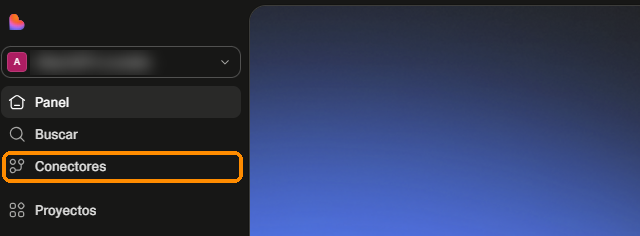
Open “Connectors”
On the Lovable home screen, in the left-hand menu, click “Connectors”.
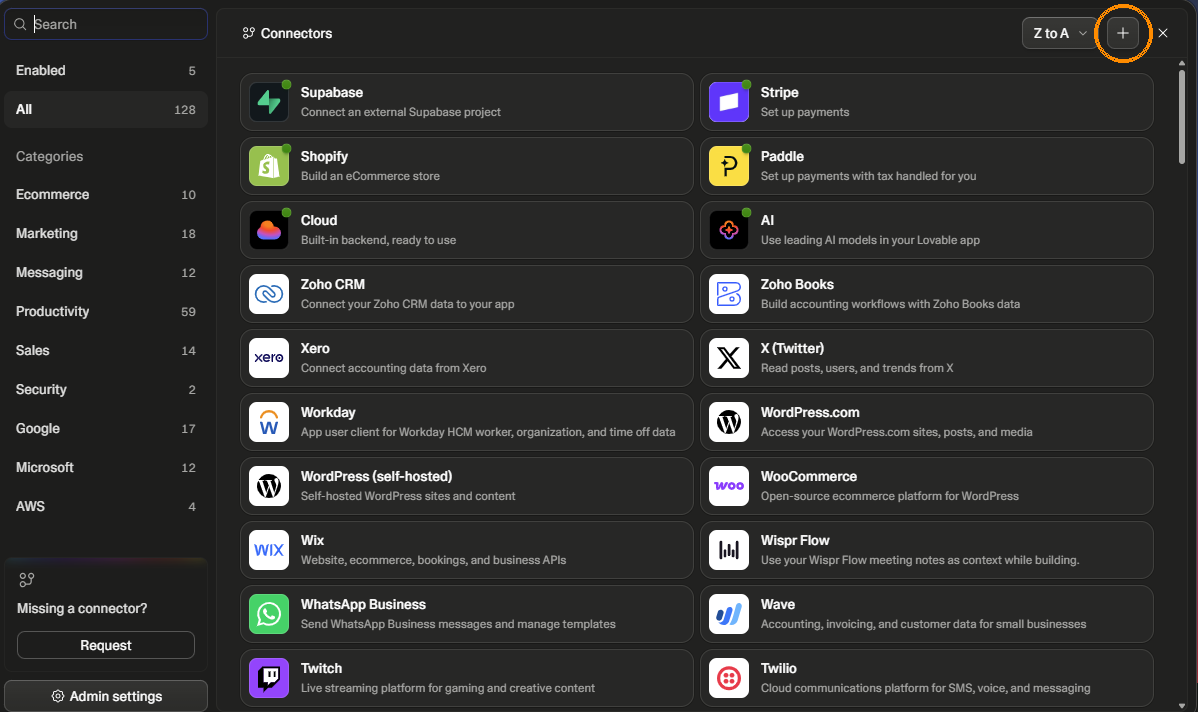
Click “+”
It is at the top right of the connector list.
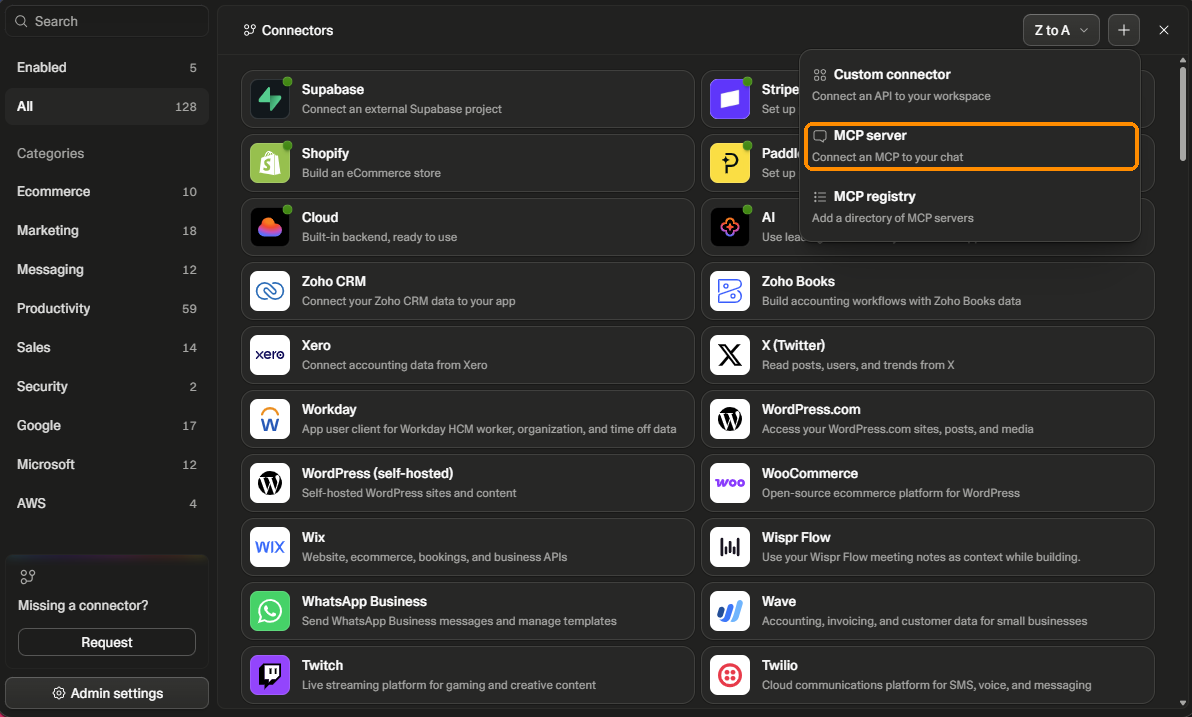
Choose “MCP server”
It is the second option in the menu. Do not choose “Custom connector”: that is for a different kind of service.
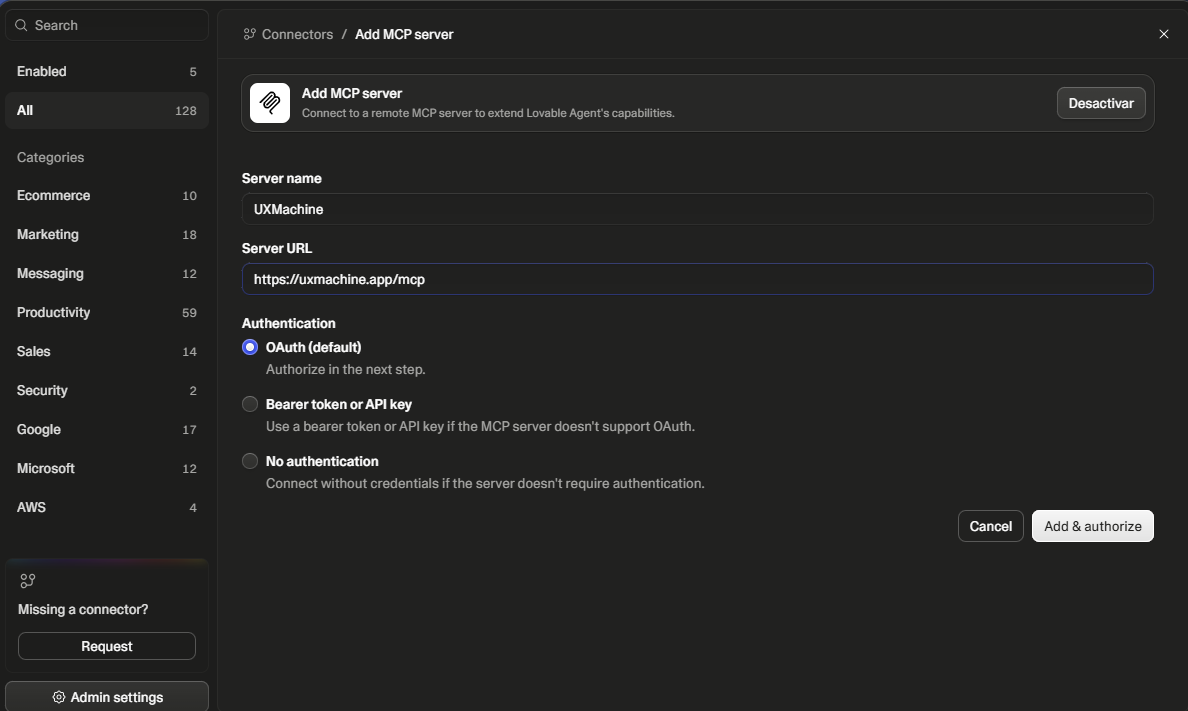
Fill in two fields
- Server name UXMachine
- Server URL the address below
https://uxmachine.app/mcpLeave “Authentication” on “OAuth (default)” and click “Add & authorize”.
Authorize in UXMachine
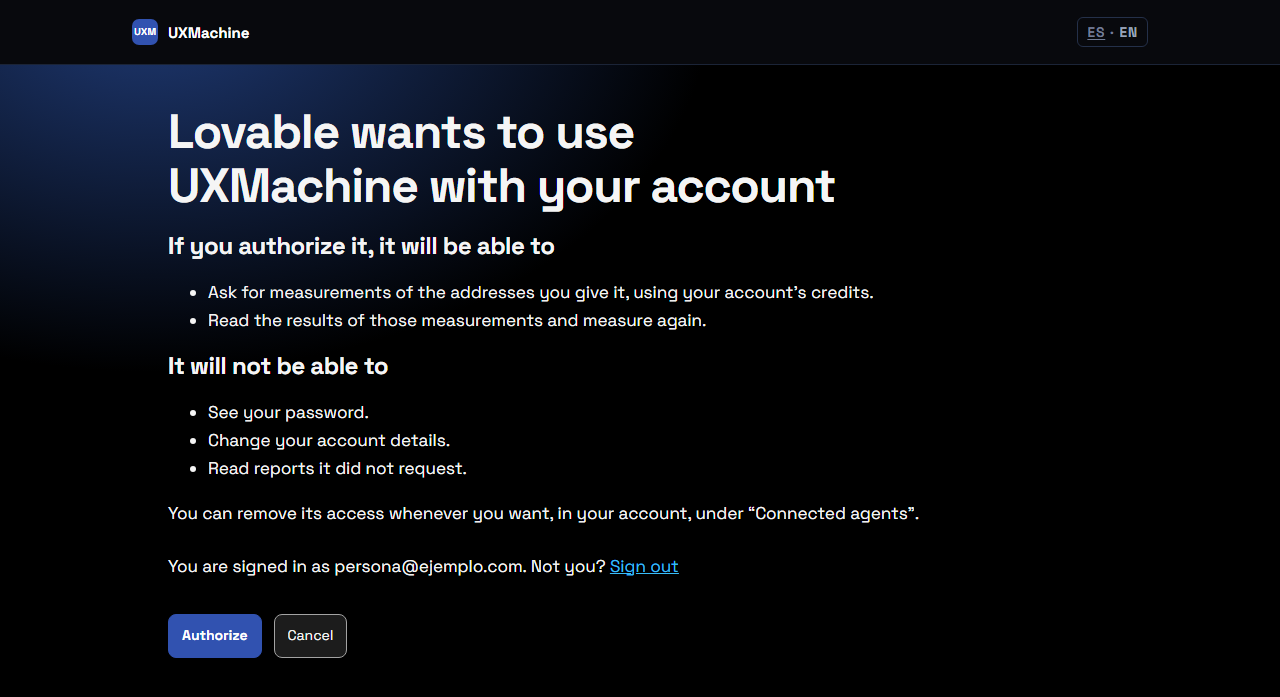
A UXMachine window opens explaining what Lovable will and will not be able to do. If it asks you to sign in, sign in with your UXMachine account. Then click “Authorize”.
Check it is connected
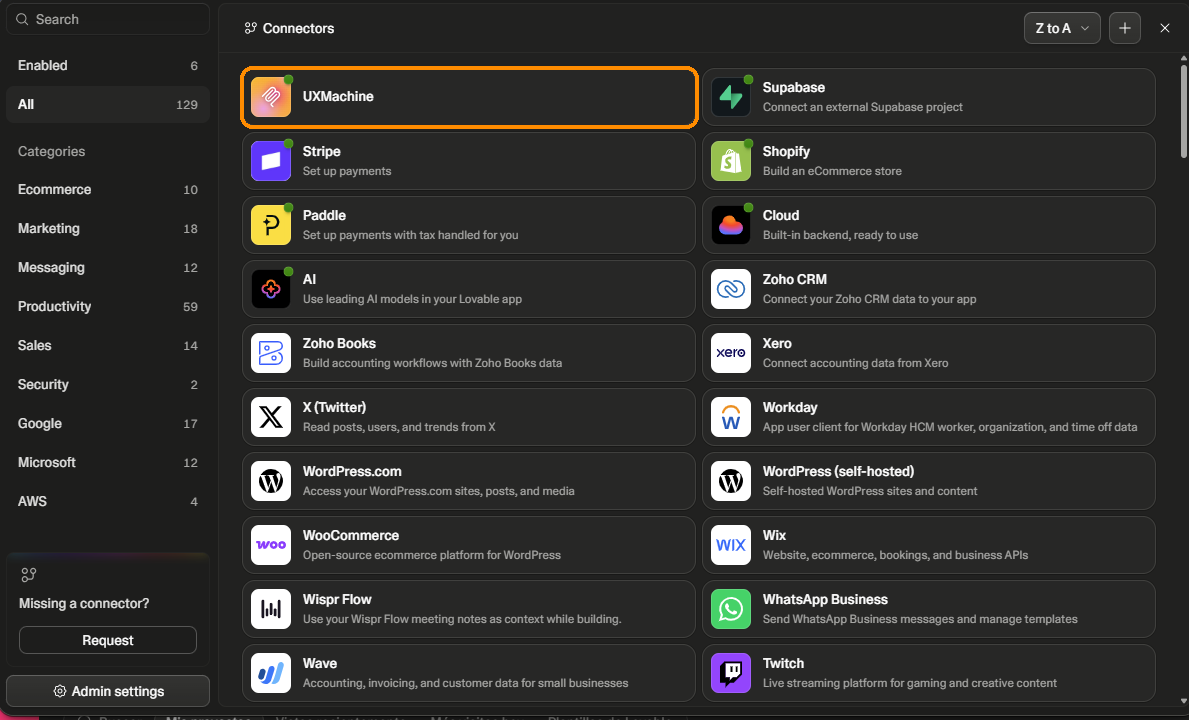
Go back to Lovable. UXMachine appears in the connector list with a green dot.
Open your project and ask it to measure
Open the project of the site you want to measure and paste this sentence into that project’s chat. Do not paste it on the Lovable home screen: that would start a new project.
Using the UXMachine connector, measure my published site and give me the report link. Don't change any code.The last sentence asks it not to touch your code: Lovable sometimes changes it on its own.
Lovable will ask for permission before measuring. Click “Allow”.

Lovable will keep checking the measurement until it finishes and then give you the link to the report.
How you know it worked
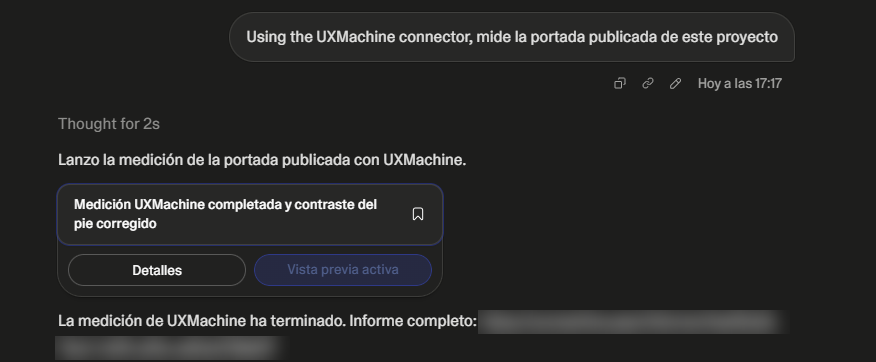
Lovable’s reply includes a link to a report on uxmachine.app. Open it: the report is what we measured, with the pages, the screen widths and what we did not check.
What Lovable writes in the chat is its own summary. If it does not match the report, the report is what counts.
If there is no link, the measurement has not finished. Type in the chat:
Using the UXMachine connector, check the status of my last measurement.If something goes wrong
Lovable says the integration is “temporarily disconnected”
The connector is out of date. Delete it in “Connectors” and create it again from step 1.
When connecting, an error mentions https://uxmachine.app/mcp
You entered the address without “/mcp” at the end. Delete the connector and create it again with the address from step 4.
The UXMachine window does not open
Your browser blocked the window. Allow pop-ups for lovable.dev and repeat step 4.
When you click “Allow”, Lovable asks you to upgrade your plan
That message comes from Lovable, not UXMachine: Lovable needs credits to continue. When you have them, ask for the measurement again, or measure your site directly on uxmachine.app.
Lovable answers without using UXMachine
Check in “Connectors” that UXMachine has the green dot, and start the sentence with “Using the UXMachine connector”.
Lovable changed your project’s code
Lovable can do that on its own. You can undo it from the project’s version history. Next time, use the sentence from step 7, which asks it not to touch the code.
What we measure and what we don’t
We measure the pages we find from your site’s address, at 1280 and 390 px wide, with a specific set of automatic rules. Anything not in the report has not been checked, and that does not mean it is fine. How we measure
Rather not use Lovable? Measure your site on uxmachine.app